Does Deleting a Photo Vault App Delete Your Photos?
Before you press Delete App, make sure your private photos have somewhere safe to be.

Hidlet is an iPhone app
Point your iPhone camera at the code to install. No account needed.
or text me the linkUsually, photos stored only inside a vault app are removed with its local app data when you delete the app. An app's own documentation is the reliable place to confirm its backup and restore design, so export important files or verify its recovery method before deleting it.
You have found a new photo vault, your old one has started asking for money, or you simply want it off your phone. The tempting move is to touch and hold the icon and tap Delete App.
Pause first. On iPhone, deleting an app removes the app and its local data. If your private photos live only inside that vault, that can mean losing the only copy. An export to Photos, iCloud-stored data and an iPhone backup are different things. This guide shows what Apple documents about each one, and what to verify with the vault app before you delete anything.
What deleting an app actually removes
Apple distinguishes three actions that sound similar:
| Action | What happens |
|---|---|
| Remove from Home Screen | The app stays installed in App Library, with its data. |
| Offload App | The app is removed, but its documents and data stay on the iPhone. |
| Delete App | The app and its local data are removed from the iPhone. |
For a photo vault, the last line is the risky one. Apple’s guidance explains what iPhone does to app data; the vault’s own documentation is where to find its particular storage and restore design.
That is why “I have iCloud” is not enough on its own. Apple says data already stored in iCloud is not deleted merely because you delete an app, while iCloud Backup can include downloaded-app data that is not already synced to iCloud. Data stored in iCloud Drive is separate from iCloud Backup. Those statements do not confirm a particular vault’s restore design. Read that app’s support instructions and verify its recovery path.
If you only want the icon out of sight for now, use Remove from Home Screen instead of deleting it. If space is the problem, Offload App preserves documents and data, but it is still not a verified backup.
Recently Deleted is not a vault-app safety net
The Recently Deleted collection is useful when you delete a photo or video in Apple’s Photos app. Apple keeps those Photos items there for 30 days. You can find them in Photos → Collections → Recently Deleted (below Utilities), tap View Album, unlock it, select the items and recover them.
That rule does not mean photos removed when another app is deleted will appear there. Apple’s Recently Deleted instructions apply to items deleted in Photos, not to app deletion.
The same distinction matters when you are cleaning up after an export. If you save a vault photo back to Photos, that exported copy follows Photos rules: deleting it sends it to Recently Deleted for up to 30 days. Check the vault app’s own documentation for what applies to its copy.
For a broader explanation of what the Photos library exposes, read Can Other Apps See Your Hidden Photos on iPhone?. If your copies are in the Hidden album, How to Hide Photos on iPhone explains why hiding is not the same as moving them out of the library.
Make a recovery plan before you delete
Do this while the old vault still opens:
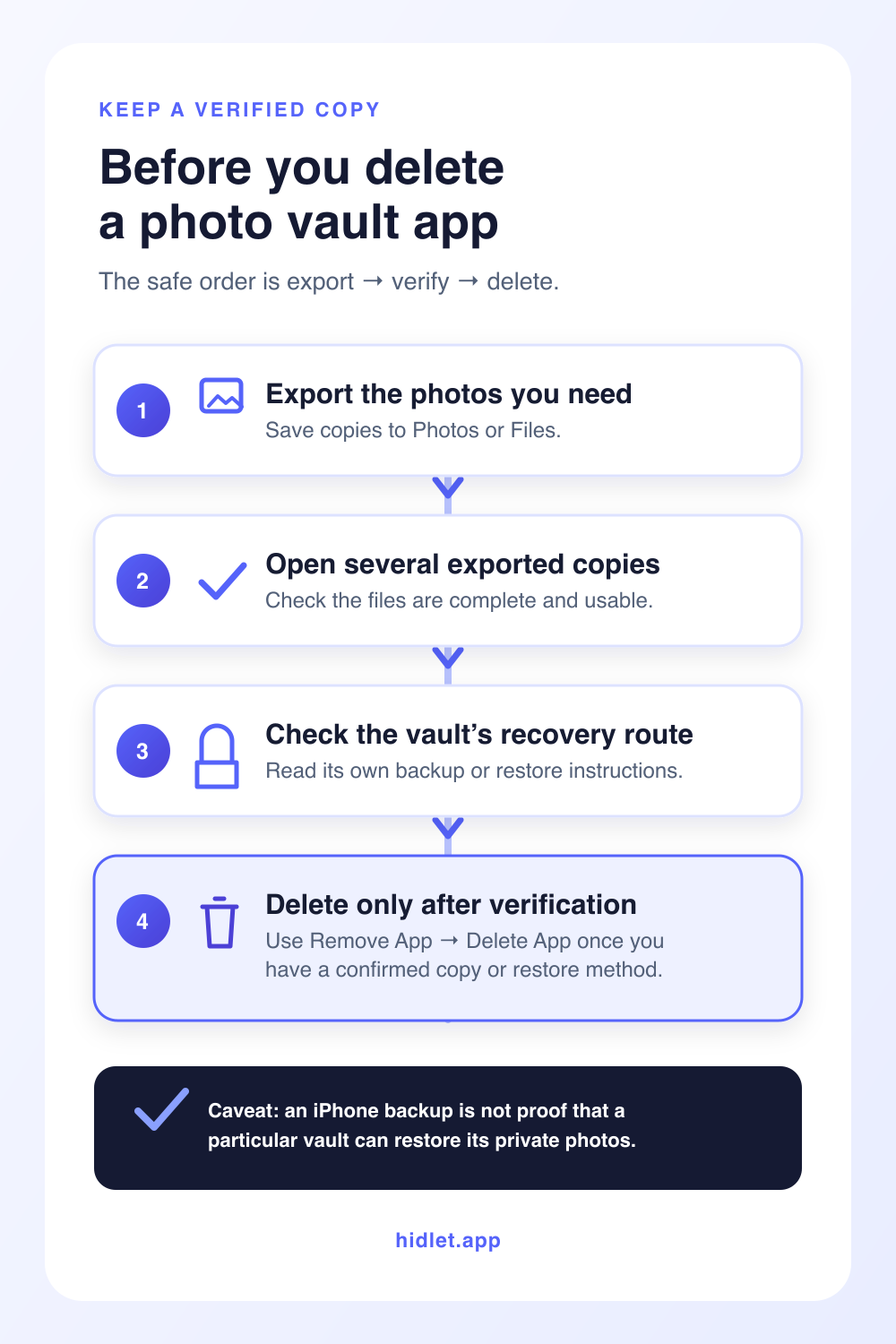
- Export the important photos and videos. Use the vault’s own export option. Save copies to Photos or Files, then open several of them to make sure the files are real and complete. Do not delete the vault after seeing only an export progress message.
- Find out where the vault says its backup lives. Look for Backup, Sync, Restore, Account, Recovery or Help in that app. Check whether it uses iCloud, the developer’s service, or neither. If it uses a phrase, password or recovery key, make sure you can still use it.
- Check iCloud Backup without over-trusting it. Go to Settings → your name → iCloud → iCloud Backup → This iPhone to see the apps included in the current device backup. Apple says iCloud Backup can include downloaded-app data that is not already stored or synced through iCloud Drive. Then check the vault app’s documentation for the restore steps it requires.
- Keep the old app until the new location works. If you are switching vaults, import the exported files into the new destination and open them there. Keep the old app on the phone until you have checked the photos, videos and any folders you need.
- Only then delete it. Touch and hold the app, tap Remove App, tap Delete App, then confirm. Do not confuse that with merely removing its icon from the Home Screen.
If you are moving to a new iPhone rather than deleting an app, the order is similar but the risks are different. Read How to Move a Photo Vault to a New iPhone before erasing the old phone.
Choose a vault with a recovery route you understand
The useful question is not just “does this app have backup?” It is: where are the files, what opens them, and what would I need after this phone is gone? A good answer is written down by the app’s developer and can be checked before you depend on it. What to Check Before You Pay for a Photo Vault App lists the checks, and Forgot Your Photo Vault Password? What Still Works explains what a missing recovery route costs.
Hidlet is designed with that choice in mind. Its encrypted backup is optional and goes to your own iCloud only after the vault is encrypted on the phone. On a new iPhone, the pattern restore needs iCloud Keychain enabled; a 9-word recovery phrase is the alternative when iCloud Keychain is off. Encrypted Backup explains the limits before you rely on it.
Before you remove any vault, keep one verified copy or confirm the exact restore method. The few minutes spent checking are much easier than trying to recover a vault after its only local data is gone.
If you export a photo to share or keep outside the vault, you can also use Hidlet’s photo metadata remover to inspect a JPEG, PNG or WebP file and download a copy with removable metadata stripped. It runs in your browser; it does not support HEIC, and it is a privacy clean-up step rather than a backup.
Frequently asked questions
Do photos from a deleted vault app go to Recently Deleted?
Not automatically. Apple's Recently Deleted collection is for photos and videos deleted in Photos; do not rely on it for files removed with another app.
Does iCloud Backup save my vault photos?
It may include downloaded-app data that is not already synced to iCloud. Data stored in iCloud Drive is separate from iCloud Backup. Check the vault app's own instructions before assuming it can restore its photos after deletion.
Is offloading a photo vault app safer than deleting it?
Offload App removes the app but keeps its documents and data on the iPhone. It is different from Delete App, but it is still not a substitute for a verified export or backup.
Can I recover photos after deleting a vault app?
Check the app's own backup or recovery instructions before deleting it. Reinstalling an app is not a substitute for an export or a restore method you have verified.
Sources
Save this guide