Forgot Your Photo Vault Password? What Still Works
Before you tap anything, find out which lock it was. One of them you can still open, one you can't.

Hidlet is an iPhone app
Point your iPhone camera at the code to install. No account needed.
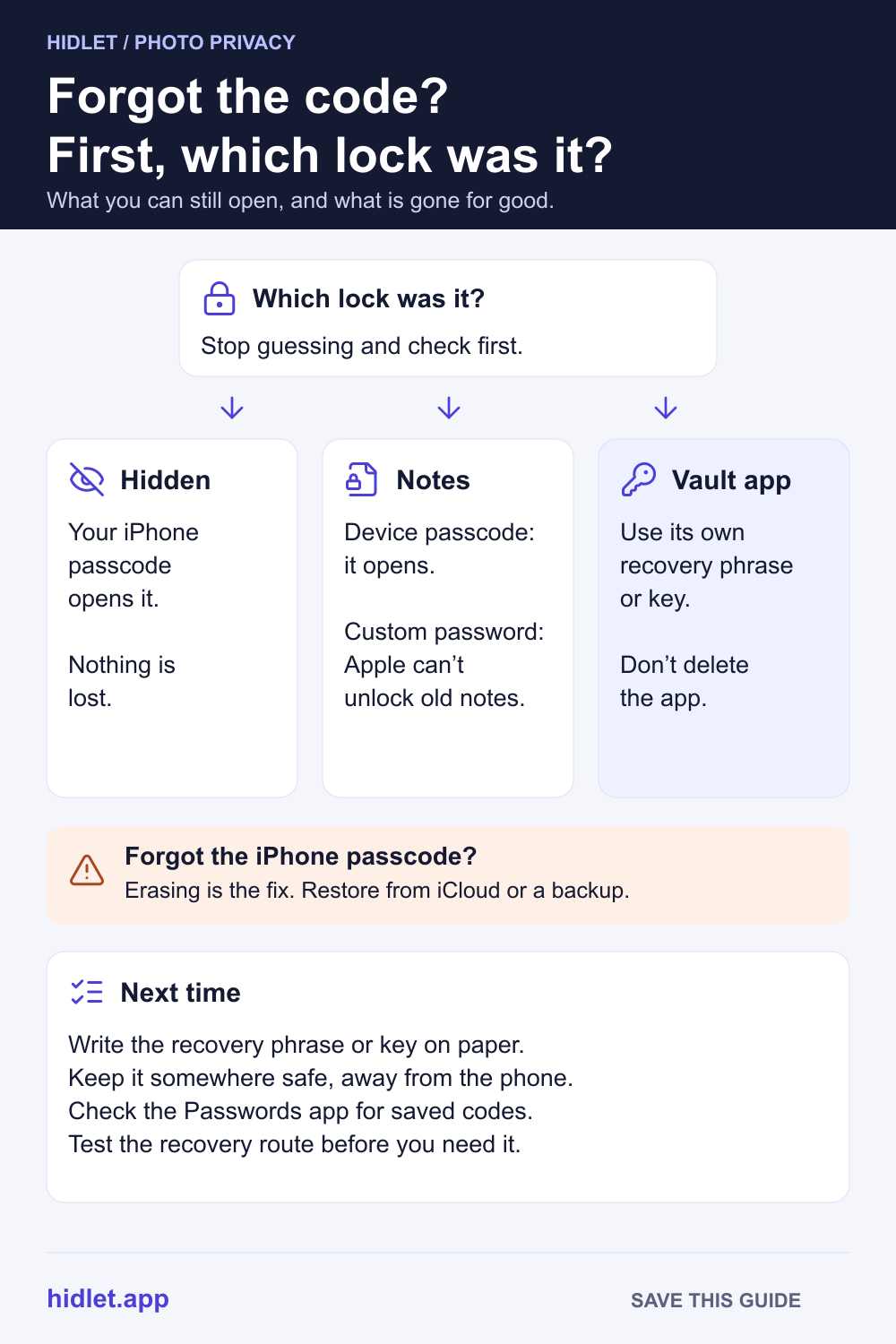
or text me the linkIt depends on what locked the photos. The Hidden album uses your iPhone passcode, so if you know that, nothing is lost. A forgotten custom Notes password can't be reset to unlock old notes, and Apple can't help. For a vault app, use its own recovery option (a recovery phrase or key) before you try anything else, and don't delete the app.
You open the vault and the code doesn’t work. You try the old one, then your birthday, then the one you use for everything else. Now the app is making you wait between guesses, and you’re starting to worry the photos are gone.
Stop guessing for a moment. What you can get back depends entirely on which lock it was, and in the most common case, nothing is lost at all. This guide covers the three kinds of lock people use for private photos on iPhone, what each one lets you recover, what is gone for good, and how to make sure it doesn’t happen again.
First, work out which lock it is
People call all of these “my photo vault password”, but they work very differently:
| What locked the photos | What opens it | If you forget it |
|---|---|---|
| The Hidden album in Photos | Face ID, Touch ID or your iPhone passcode | You can open it with your passcode |
| A locked note | Your iPhone passcode, or a custom Notes password | Try Face ID or Touch ID; otherwise a custom password can’t be recovered |
| A vault app | The app’s own PIN, password or pattern | Only the app’s own recovery option can help |
The Hidden album. Apple says the Hidden and Recently Deleted collections unlock with Face ID, Touch ID or your passcode. There is no separate password. If Face ID isn’t letting you in, your iPhone passcode is the code you need. To find it, open Photos, tap Collections, then Hidden (below Utilities), then View Album. If the album is missing, check that Show Hidden Album is on in Settings → Apps → Photos. More in How to Hide Photos on iPhone.
A locked note. In Settings → Apps → Notes → Password, Notes lets you choose Use Device Passcode or Use Custom Password. If yours used the device passcode, your iPhone passcode opens it. If you set a custom password, read the next section.
A vault app. Its code has nothing to do with your iPhone passcode. What happens next depends on how that app was built.
What you can still get back
Your iPhone passcode still opens the Hidden album and passcode-locked notes. If that’s what you forgot, the answer is the same passcode you use to unlock the phone.
Look in the Passwords app. If you saved the vault’s password when the app offered to, it may be there. Open Passwords and type the app’s name in the search field at the bottom of the screen. Check All, and look in Deleted too, which keeps deleted passwords for 30 days.
Use the vault app’s own recovery option. Many vault apps have a “Forgot password” link, a recovery email, a recovery phrase or a recovery key. Look on the lock screen and in the app’s help pages. Use it before you do anything else.
A Notes password can have a hint. Apple asks you to set a hint when you create a Notes password. If you have more than one Notes password, Notes shows the hint for the old one when you enter the wrong password.
What is gone for good
This part is hard to hear, but better heard now than after an hour of guessing.
A forgotten custom Notes password. If you turned on Face ID or Touch ID for Notes, try that first. Otherwise Apple is direct about it: if you forget the password and can’t use Face ID or Touch ID, Apple can’t help you regain access to those notes. You can choose Reset Password in Settings → Apps → Notes → Password, but Apple says that doesn’t give you access to notes locked before. It only applies to notes you lock afterwards.
A vault app with no recovery route. A well-built vault scrambles your photos with a key made from your password. NIST’s guidance on password-based keys notes that when stored data is protected this way, the password may be the only secret protecting it. That is what makes it private: nobody else holds a copy of the key. It is also why nobody, including the developer, can open it for you if the password and every recovery route are lost.
Don’t delete the app to “reset” it. Apple says deleting an app removes the app and its data from your iPhone. For a vault that keeps photos only on the phone, that can mean losing the only copy. Our guide Does Deleting a Photo Vault App Delete Your Photos? explains what to check first.
If you forgot your iPhone passcode
Then the Hidden album and passcode-locked notes are locked too, and the fix is bigger.
- Changed it in the last 72 hours? Apple’s passcode reset lets you use your previous passcode for 72 hours after a change. On iOS 17 or later, enter a wrong passcode five times until iPhone Unavailable shows, tap Forgot Passcode?, then Enter Previous Passcode. This needs Find My on and a Wi-Fi or cellular connection.
- Otherwise, the iPhone has to be erased. On iOS 17 or later, keep entering the passcode until iPhone Unavailable shows, tap Forgot Passcode?, tap Start iPhone Reset on the Security Lockout screen, enter your Apple Account password, then tap Erase iPhone. Apple says this permanently deletes all your data and settings. You need Find My turned on beforehand and a Wi-Fi or cellular connection. Without those, Apple’s other route is recovery mode with a Mac or PC.
- Bring your photos back. During setup, restore from an iCloud backup or a computer backup. If you use iCloud Photos, your library, Hidden album included, comes back from iCloud once you sign in. Photos that were only on the phone come back only if they were in a backup.
Erasing the iPhone also erases any vault app’s data on it. Whether that vault comes back depends on whether it had a backup and you still have its recovery details.
How to stop it happening again
- Write the recovery details down. For anything that gives you a recovery phrase or key, Apple’s advice for its own recovery key works well: print it or write it down, keep it somewhere safe, and consider keeping it in more than one place. Apple also warns against storing a recovery key only in places you’d be locked out of, like the Passwords app, Notes or iCloud Photos.
- Pick a code you’ll remember, not one you’ll reuse. A vault code that matches your iPhone passcode protects nothing from someone who knows your passcode. See Pattern Lock vs PIN vs Face ID: Which Protects Photos for how the choices compare.
- Check the recovery route before you need it. Before you trust a vault with photos, find out exactly what you’d need if you forgot the code, and test it once.
Hidlet is built around that last step. Each vault opens with a pattern you draw on a 5×5 grid, and comes with a 9-word recovery phrase shown when you create it. If you forget the pattern, choose Forgot pattern?, enter the phrase, and draw a new one. There are no accounts and no password reset by email, because Hidlet never has a copy of your pattern, phrase or keys. That means the phrase matters: if both the pattern and the phrase are lost, nobody can open that vault, including us. Write it down. Hidlet is available on the App Store.
Frequently asked questions
Is there a separate password for the Hidden album?
No. Apple says the Hidden and Recently Deleted collections unlock with Face ID, Touch ID or your iPhone passcode. If you know your passcode, you can open it.
Can Apple reset my Notes password and unlock my notes?
No. Apple says that if you forget a custom Notes password and can't use Face ID or Touch ID to open those notes, it can't help you regain access. You can reset the password, but that only applies to notes you lock afterwards.
Will deleting and reinstalling a vault app reset the password?
It may delete the photos instead. Deleting an app removes its data from the iPhone, so try the app's own recovery option first and keep it installed.
Can a vault app's developer recover my password?
It depends on how the app is built. If your files are encrypted with a key that only your password or recovery phrase can make, nobody else holds a copy, so nobody else can open them.
Sources
- Apple iPhone User Guide — Delete or hide photos and videos on iPhone (iOS 27)
- Apple Support — If you forgot your iPhone passcode
- Apple Support — Use passcode reset on your iPhone
- Apple Support — Reset your iPhone with a computer if you forgot your passcode
- Apple Support — What does iCloud back up?
- Apple iPhone User Guide — Lock notes on iPhone (iOS 27)
- Apple Support — If you forgot your Notes password
- Apple iPhone User Guide — Find a password in the Passwords app (iOS 27)
- Apple iPhone User Guide — Recover a deleted password (iOS 27)
- Apple iPhone User Guide — Remove or delete apps on iPhone (iOS 27)
- Apple Support — How to generate a recovery key for your Apple Account
- NIST SP 800-132 — Recommendation for Password-Based Key Derivation
Save this guide