How to Remove Location From a Photo Before You Share It
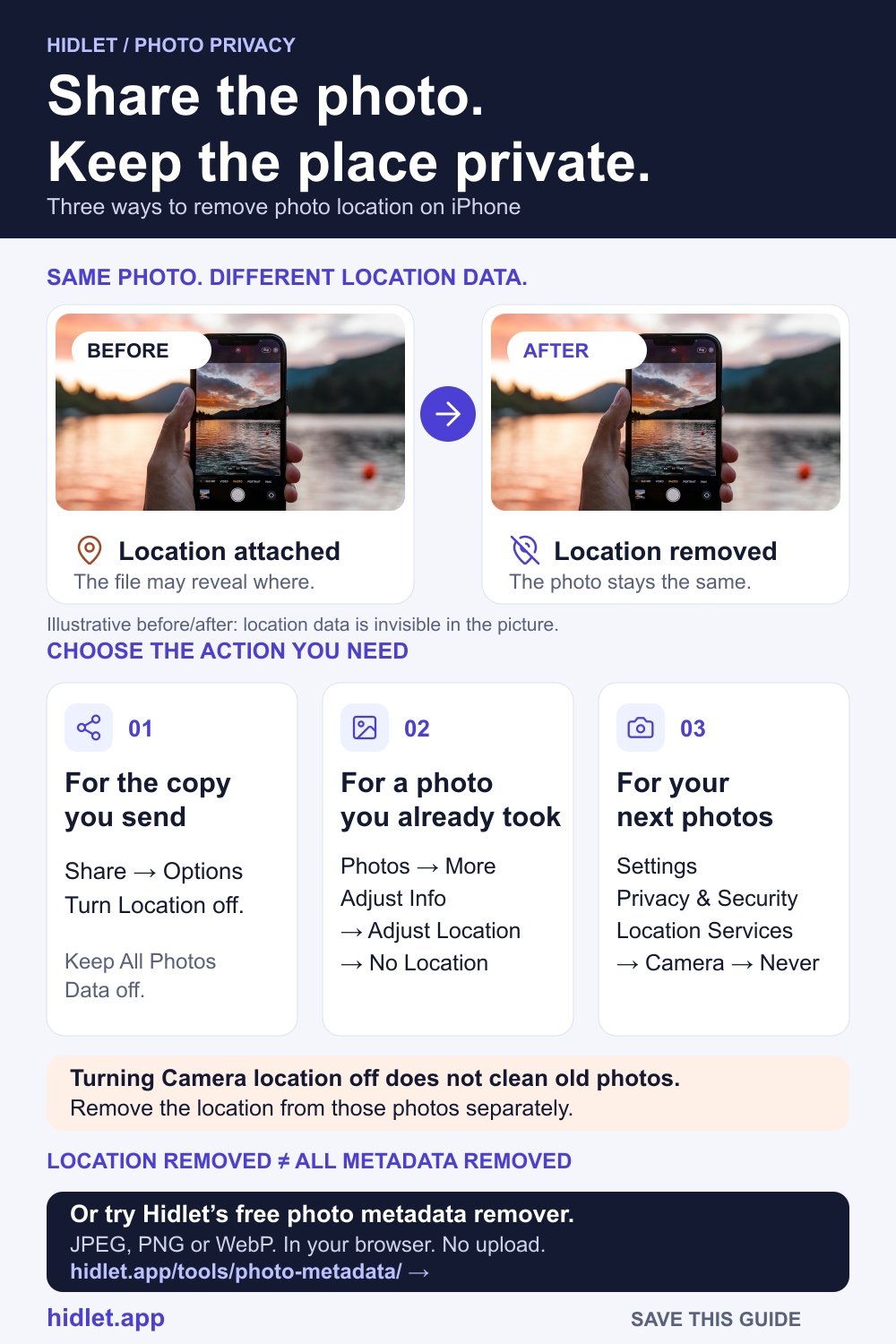
Your photo may carry the street it was taken on. Three ways to take that out before anyone else gets the file.

Hidlet is an iPhone app
Point your iPhone camera at the code to install. No account needed.
or text me the linkYes, an iPhone photo can carry the exact place it was taken, and people you share it with may be able to see it. To stop it for new photos, set Camera to Never in Settings → Privacy & Security → Location Services. For an existing photo, open it, tap More, then Adjust Info → Adjust Location → No Location. Before sharing, you can also turn off Location in the Share sheet's Options.
You are about to send a photo to a stranger: a buyer on a marketplace, a landlord, someone you met online. The photo looks harmless. The file may not be. Unless you changed a setting, an iPhone photo can carry the exact place it was taken, along with the date, the time and the device.
This guide covers where that information comes from, three ways to take the location out, and what Apple doesn’t say.
What a photo carries
Apple says that when Location Services is turned on for the Camera app, the coordinates of where you took a photo or video are embedded in it. The people you share it with may be able to read them and learn where it was taken.
The location is not the only thing. Apple’s info panel for a photo also shows the device that took it, the date and time, and camera details such as lens and shutter speed. To see yours, open a photo and swipe up, or tap the info button.
Sharing includes all of this. Apple’s Photos guide says sharing a photo or video includes its metadata, such as date and time, location, device and captions.
Stop new photos recording location
This is the one change that fixes the problem at the source.
- Open Settings.
- Go to Privacy & Security → Location Services → Camera.
- Tap Never.
Apple says location metadata can only be collected while Camera has access to Location Services, so with Never, new photos and videos carry no place. The catch: new photos won’t appear in the Map collection in Photos, which Apple says includes only items with embedded location data. Photos you already took keep their location until you remove it.
Remove location from a photo you already have
-
Open the photo in Photos.
-
Tap the More button. It’s the three dots at the top right.
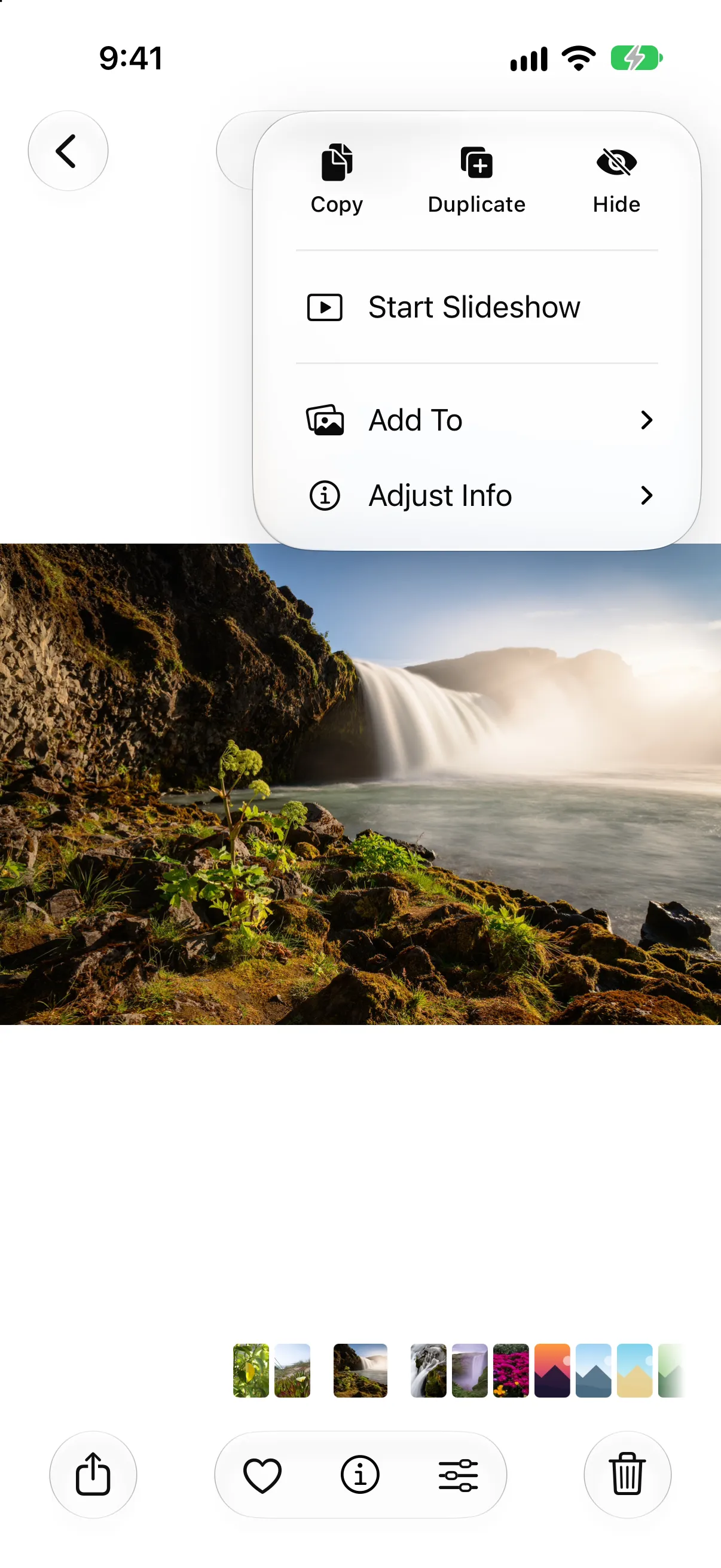
Open a photo, tap More, then Adjust Info.
-
Tap Adjust Info, then Adjust Location. Apple’s iPhone guide describes typing a new location here; the No Location choice is documented in its Personal Safety guide.
-
Tap No Location.
To change several photos at once, tap Select first and choose them. Tap Revert if you change your mind. This edits the photo in your library, so every copy you share from then on is clean.
To find the photos that still have a place, open Collections and tap Map (below Pinned). Apple says only pictures and videos with embedded location data appear there.
Share without location
For one-off sharing, you can leave the place out as you send.
-
Open the photo, or tap Select and choose several.
-
Tap the Share button, then Options.
-
Turn off Location. It’s the switch under Include. Apple says Location Not Included then shows above the Options button.
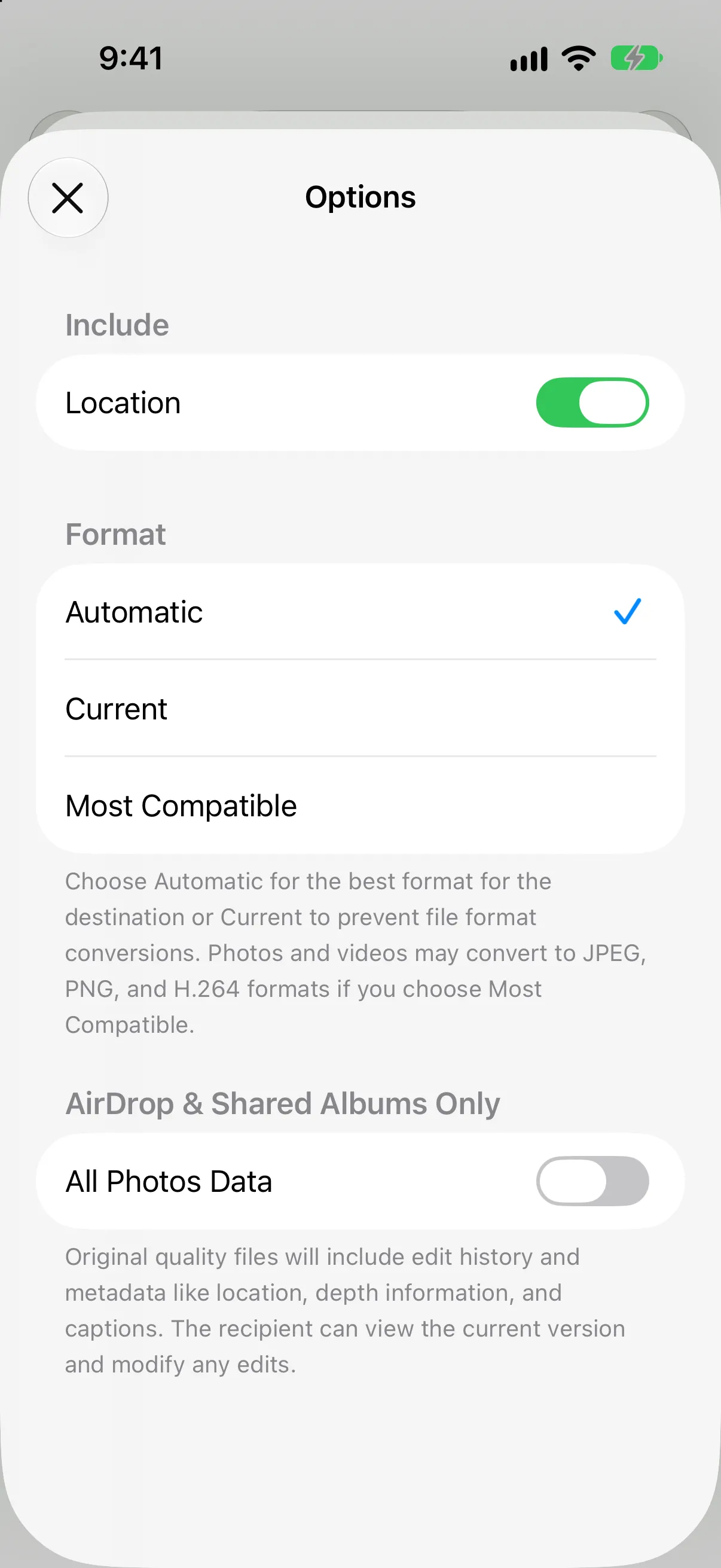
Share → Options on iOS 27. Turn off Location.
-
Send it the usual way. Apple’s examples are Mail, Messages and AirDrop.
Checked on iOS 27. The Location switch is still in Options, under Include. Apple’s iOS 27 Share page doesn’t list it, but we found it there on an iOS 27 iPhone simulator. If yours doesn’t show it, remove the location from the photo first, using the method above.
Keep All Photos Data off. It appears in Options for AirDrop and Shared Albums only. Apple says it shares the original file with its edit history and metadata, which is the opposite of what you want here.
What Apple doesn’t say
Be careful with these, because Apple’s pages are silent:
- Other metadata. Apple says the Location switch turns off location data. It doesn’t say the date, device or camera details are removed too. What Hidden Data Is in an iPhone Photo? explains what else the file carries.
- Every way of sending. Apple gives Mail, Messages and AirDrop as examples. It doesn’t say how the switch behaves for iCloud links or Shared Albums.
If you need a file with everything removed, our photo metadata remover lists what a JPEG, PNG or WebP carries and gives you a clean copy. It runs in your browser, so the photo isn’t uploaded.
To hide a face, a name or a number in the picture itself, see How to Blur Names, Numbers and Faces in a Photo on iPhone.
If someone else is the worry
If you are worried about a partner, ex or family member who can see where your photos were taken, location metadata is one way a place can be found out. Apple’s Personal Safety guide explains how to remove existing location metadata and stop it being collected. If you feel unsafe, local support services can help.
Keep private photos out of the reach of a mistake
Removing location doesn’t stop someone opening your Photos library. For photos that must not be shared by accident, a vault keeps them outside Photos. Hidlet’s camera saves straight into the open vault and removes location data, so those photos never reach your camera roll. Hidlet is available on the App Store.
What Hidlet can and can’t protect
Hidlet’s camera removes location from photos taken inside it. It can’t remove the location from photos already in your Photos library, and it can’t change what other apps record. Use the steps above for those.
Frequently asked questions
Does an iPhone photo store where it was taken?
It can. Apple says that when Location Services is on for Camera, the coordinates are embedded in each photo and video, and people you share them with may be able to access them.
Does sharing a photo send its location?
By default, yes. Apple says sharing a photo or video includes its metadata, such as date and time, location, device and captions. The Share sheet's Options lets you leave location out.
Does turning off Location in Options remove the date and camera details too?
Apple's page only says it turns off location data. It doesn't say the date or camera details are removed, so don't assume they are.
Does Hidlet's camera save location?
No. Photos taken with Hidlet's in-app camera are saved straight into the open vault with location data removed. Hidlet is available on the [App Store](/get/app-store?ct=web_body).
Sources
Save this guide